
Plug KISMO into the AI you already use.
Your AI assistant reasons on your notes and your Brain, instead of starting from scratch in every conversation. You choose what it can see, box by box, and you revoke in one click. It reads, it never rewrites your Brain: validation stays with you.
This is the most technical page on the site. Every term is explained in brackets the first time it appears.
How it works
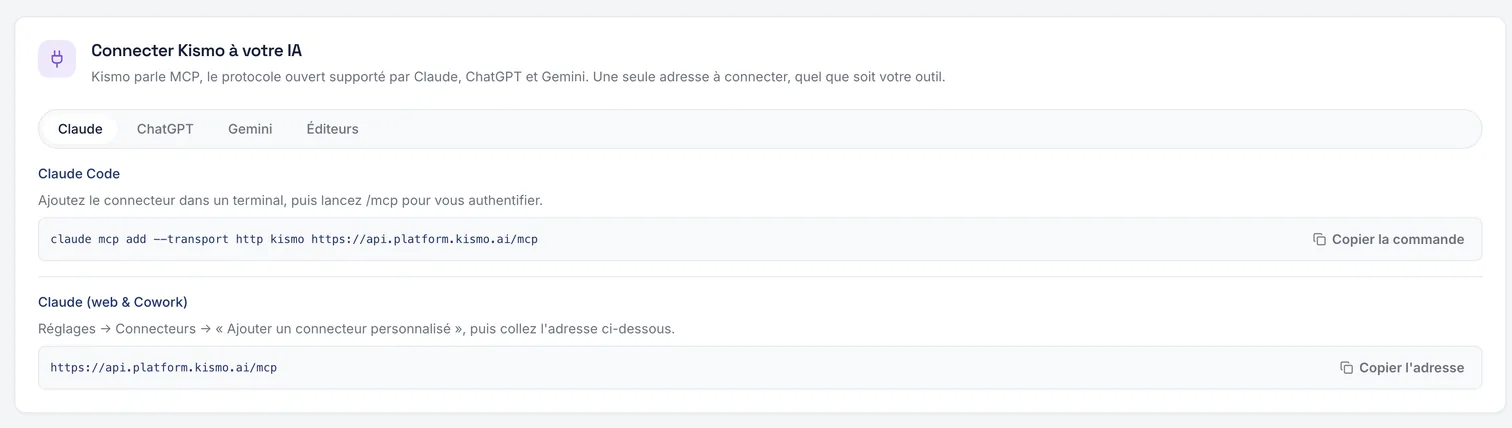
KISMO offers an MCP connector (Model Context Protocol, the universal port that lets an AI assistant use external tools). You declare KISMO in your assistant, you authorize access, and the assistant then works with your notes and your Brain. Step-by-step guides, tool by tool, are in your account.
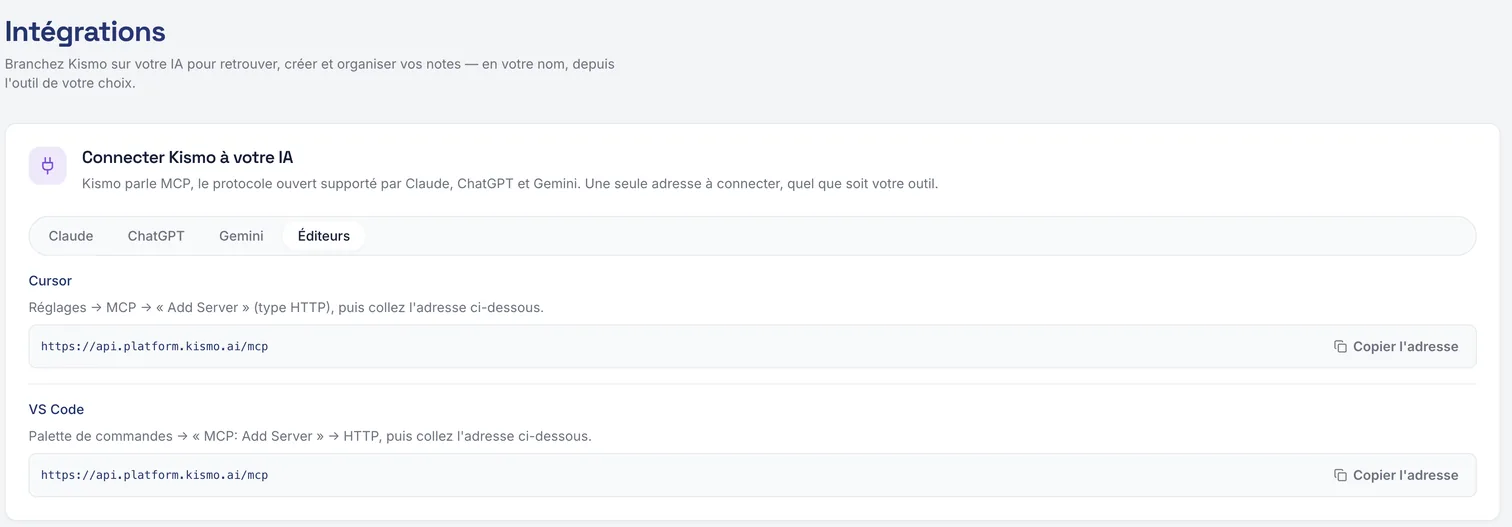
Supported tools
- Claude, on the web and in Cowork
- Claude Code
- ChatGPT, with developer mode on paid plans
- Gemini, in CLI (command line version) and Enterprise edition
- the OpenAI API (API: a connection between tools), from the Playground (the test console)
- VS Code
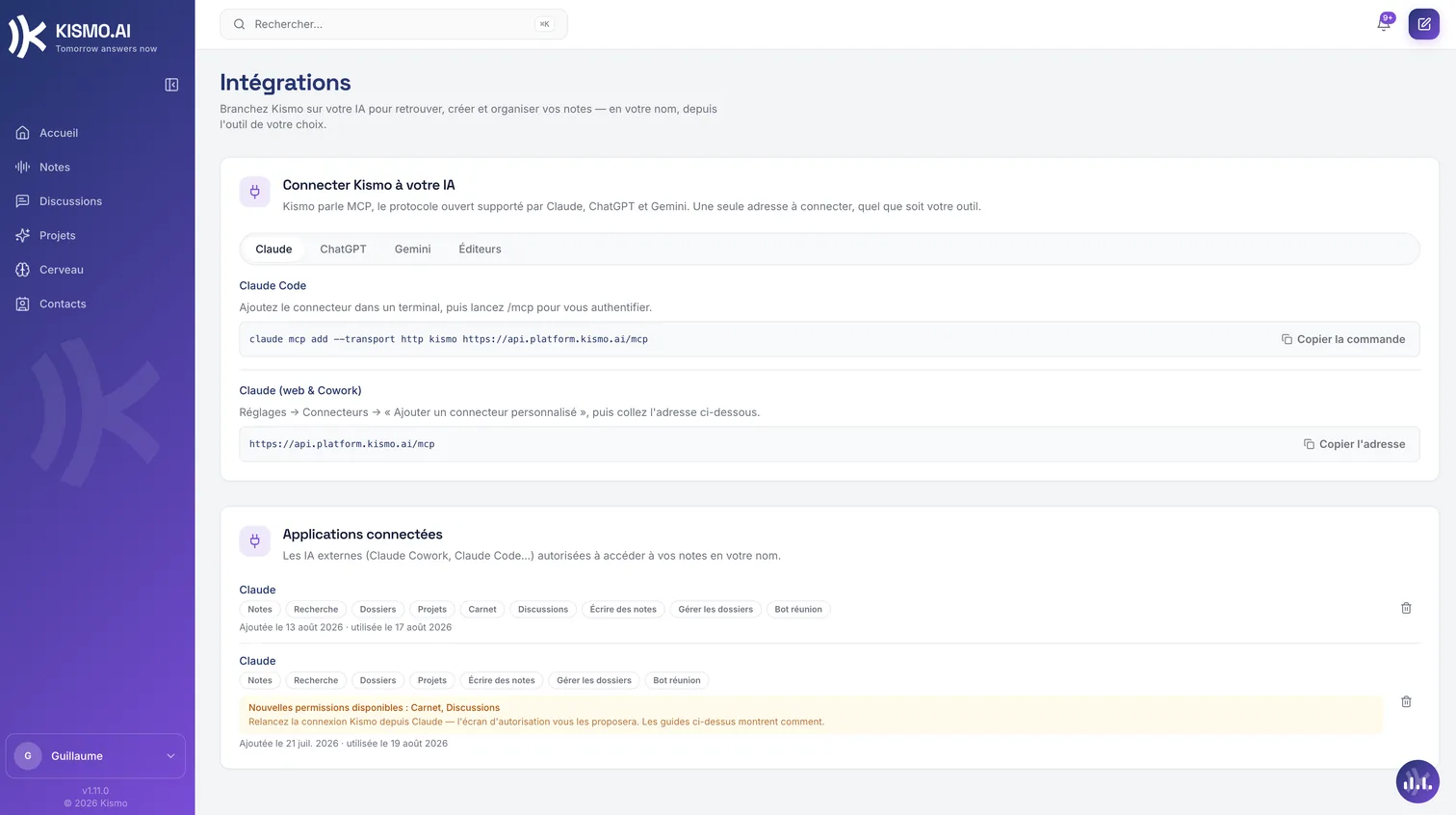
What an authorized assistant can do
- Search, list and read your notes, your folders and your projects.
- Read your Brain.
- Create a note, from a text, a link or a file.
- Create a folder and move notes into it.
- Invite KISMO to a video meeting.
An external AI reads the Brain, it never writes to it. Distillation, with human validation, remains the only path for writing. An external AI can however create notes, which you will then distill.
You stay in control
Permissions are detailed by family, editable box by box and revocable in one click from your account. Access is granted tool by tool, never by default. An assistant you have not authorized sees nothing.
Your company's context, readable by any AI.
Today, for an AI to work well on your company, you have to build it a context file by hand. The Brain is that context file, produced from your conversations, checked by your teams, with its states and its provenance, and served to the assistant of your choice through an open standard.
The scope, without ambiguity
The connector is meant for AI assistants. It is not an integrations marketplace: the point is that your notes and your Brain work where you already think, in the AI tools you have chosen.
Access, two-factor authentication and data hosting are detailed on the trust page.